Network
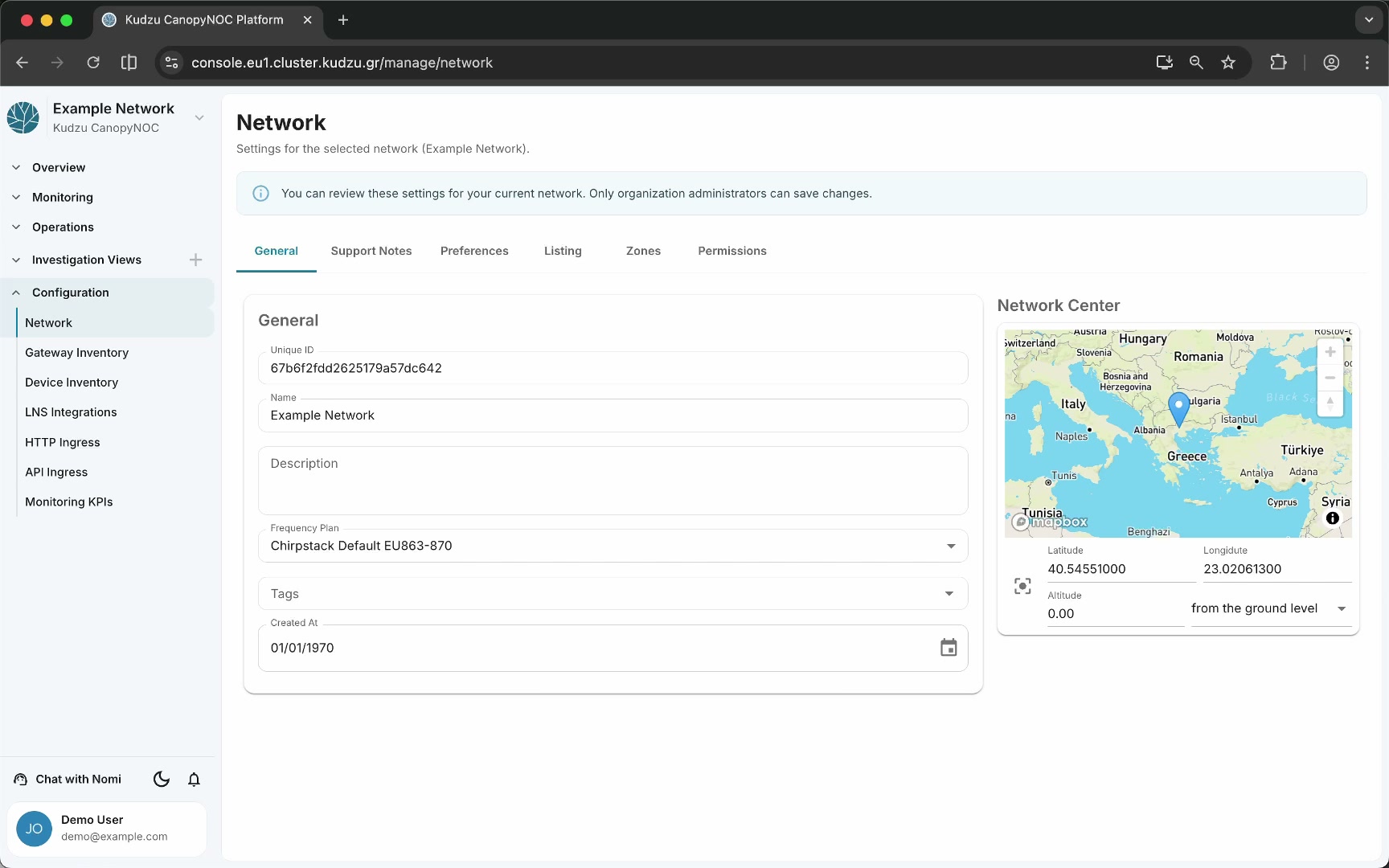
The Network configuration page contains the administrative settings for your network. You define general metadata, provide deployment context for the platform’s analysis engine, calibrate alarm sensitivity, draw geographic zones, and manage access permissions — all from a single scrollable view.
Key areas#
General information#
The top section displays high-level metadata about the network:
| Field | Purpose |
|---|---|
| Name | The network’s display name used across the platform |
| Description | Free-text description of the network |
| Frequency plan | The regional frequency plan in use |
Support notes#
Below the general information, you provide deployment context that the platform uses when running analysis algorithms. Accurate support notes improve the relevance of automated insights.
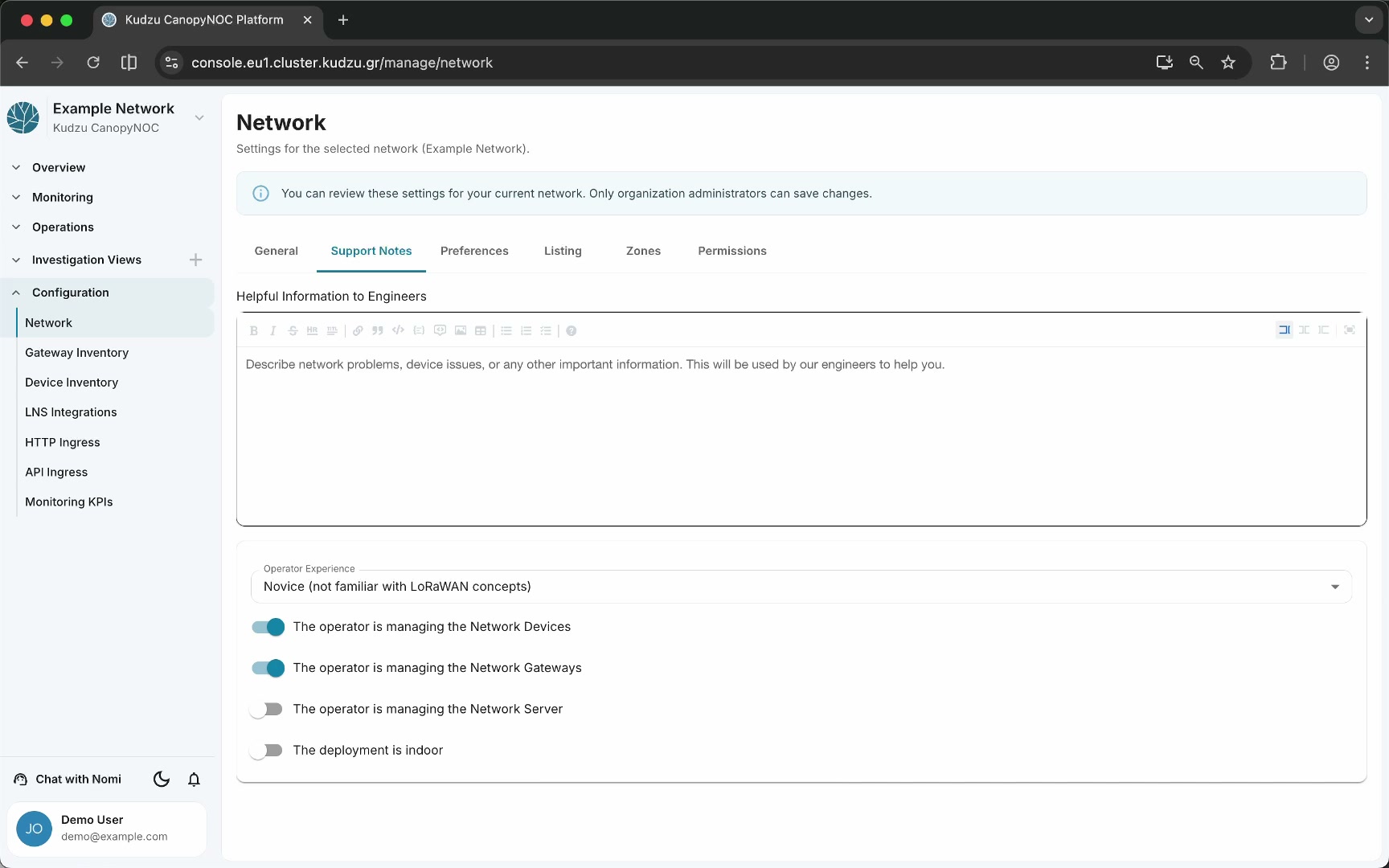
| Field | Purpose |
|---|---|
| Indoor / outdoor | Whether the network is installed indoors or outdoors |
| Restrictions | Any deployment restrictions or constraints |
| Firmware | Firmware versions or special configurations |
| Notes | Free-text notes about anything relevant to analysis accuracy |
Preferences#
The Preferences section lets you set the relative importance of operational parameters for your network. These values calibrate the alarms you receive — higher sensitivity on a parameter causes the platform to trigger alarms more aggressively for that category.
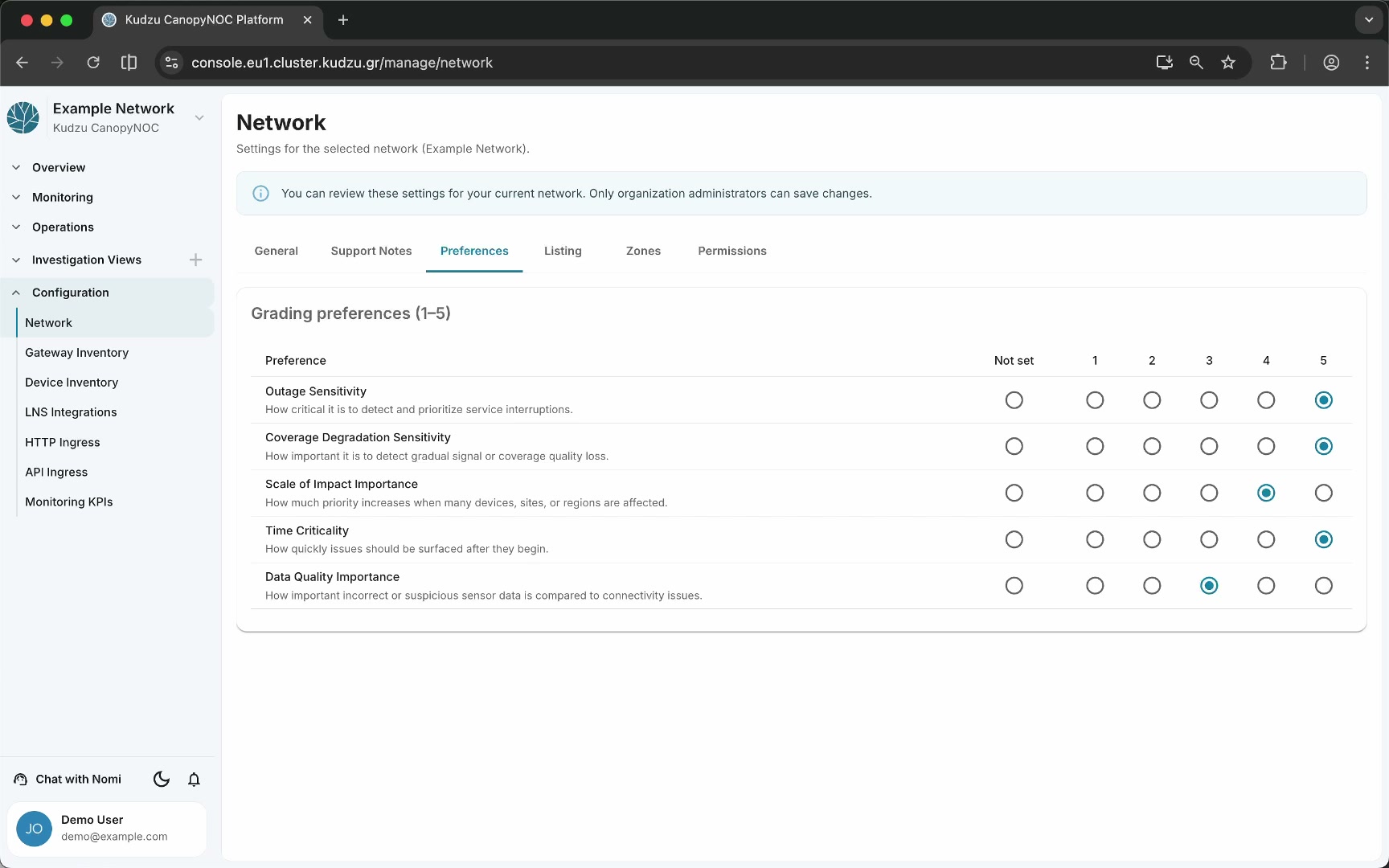
| Preference | What it controls |
|---|---|
| Outage sensitivity | How critical outage events are |
| Coverage degradation | Sensitivity to coverage loss |
| Scale of impact | How much the breadth of a problem matters |
| Time criticality | How urgently problems need attention |
| Data quality | Importance of data completeness and accuracy |
Listing options#
This section controls whether your network is publicly visible on the platform. When listing is enabled, other platform users can discover the network. When disabled, the network remains private and accessible only to authorized users and organizations.
Zones#
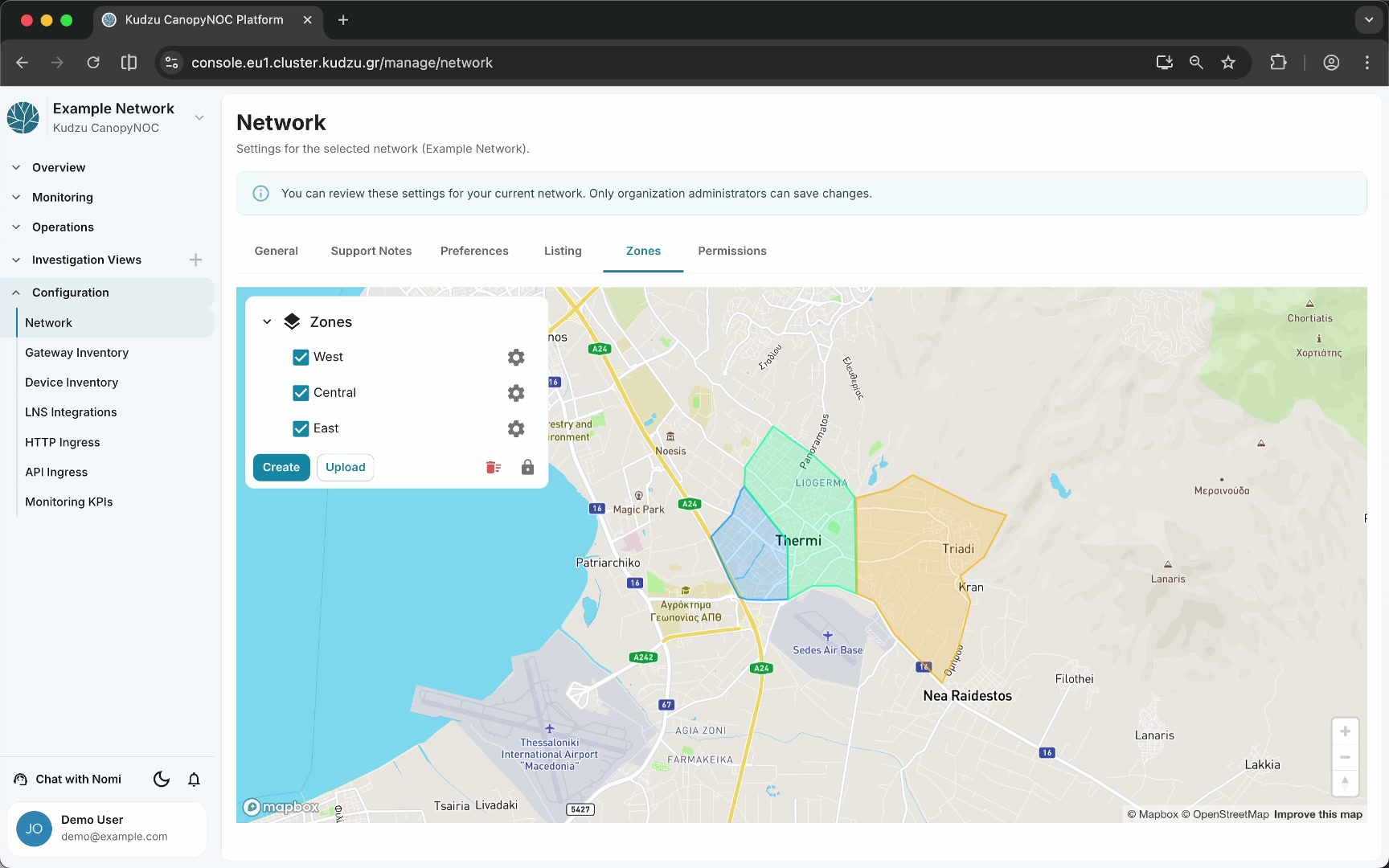
Zones are user-defined geographic polygons drawn on the map. They allow you to classify traffic by region, enable zone-scoped analysis and metric breakdowns, and group infrastructure for deployment planning and operational filtering.
Permissions#
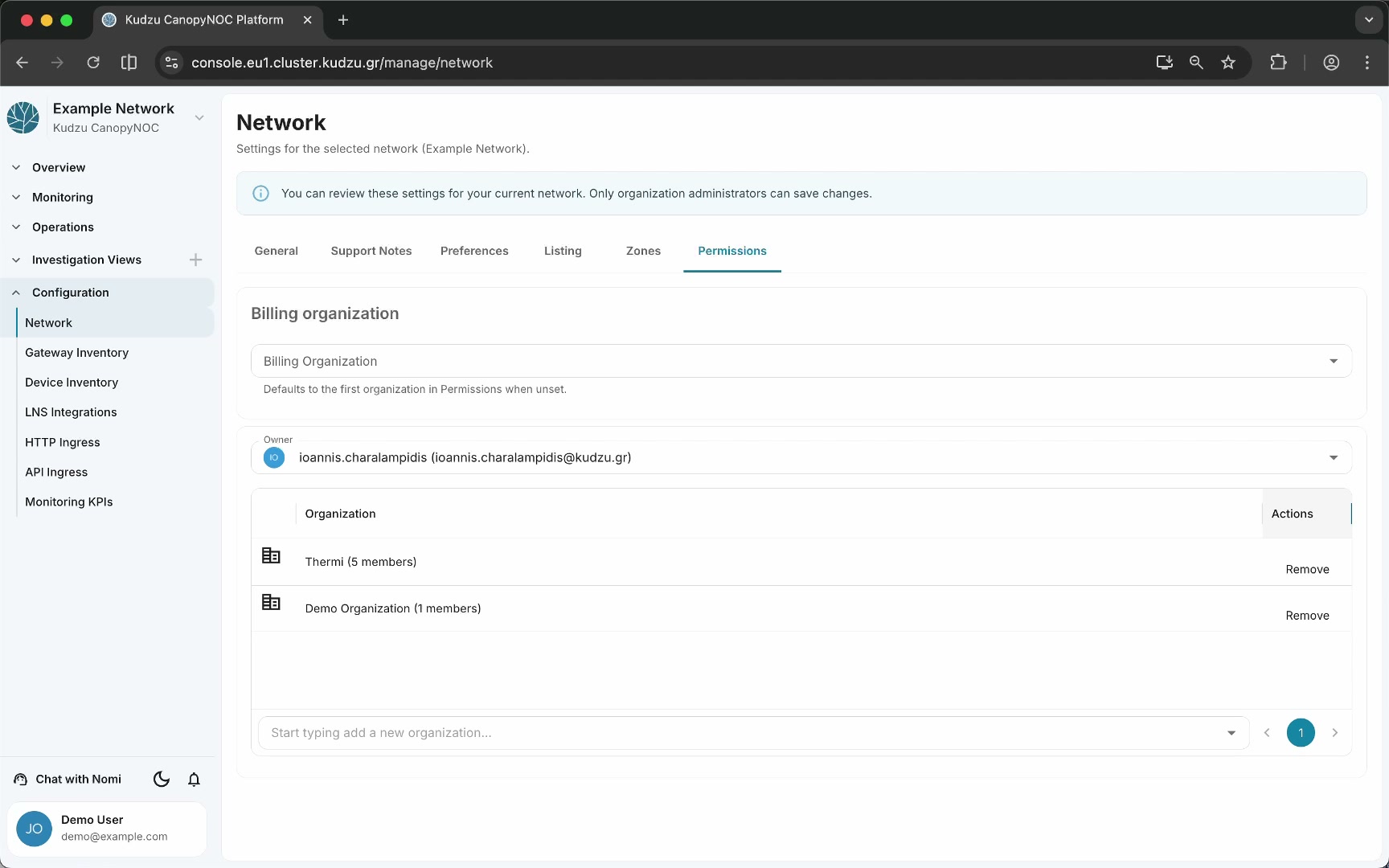
The Permissions section controls which organizations and users can access the network resource. Every resource in the platform — networks, gateways, and devices — follows the same permissions model.
How to use this view#
- Navigate to Configuration > Network in the sidebar.
- Review and update the network name, description, and frequency plan.
- Fill in support notes with deployment details (indoor/outdoor, restrictions, firmware) to improve analysis accuracy.
- Adjust preferences to match your priorities for alarm sensitivity.
- Enable listing if the network should be publicly discoverable.
- Define zones on the map to classify geographic regions of the network.
- Configure permissions to control which organizations and users have access.
Related pages#
- Gateway Inventory — registered gateways and their settings
- Device Inventory — registered devices and their properties
- LNS Integrations — connections to LoRaWAN Network Servers
- Monitoring KPIs — analysis algorithm registration