LNS Integrations
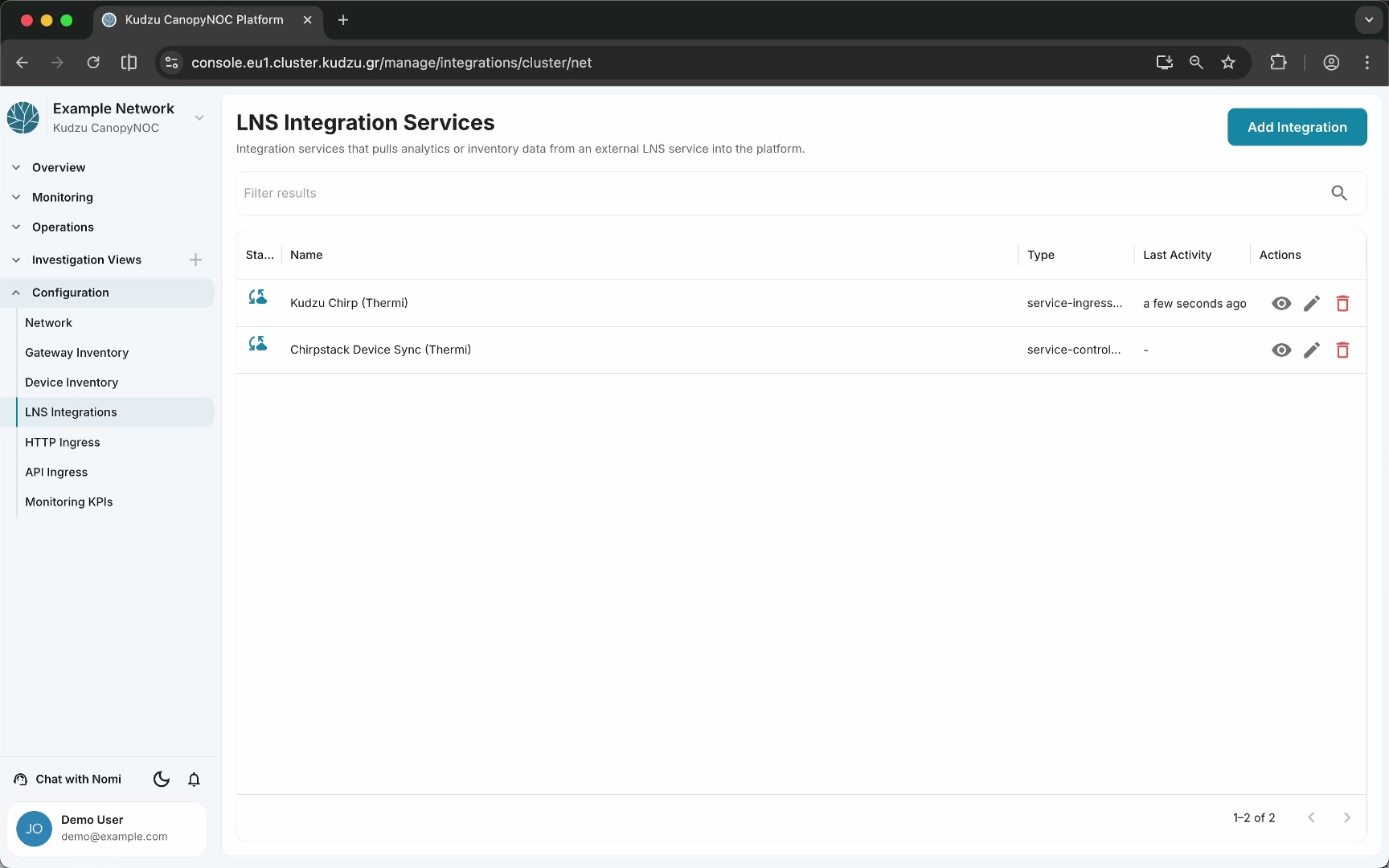
The LNS Integrations page manages connections to LoRaWAN Network Servers (LNS) that feed device and gateway data into the platform. This is the preferred high-quality data path because LNS integrations provide uplinks, downlinks, gateway metadata, gateway statistics, device identity, and LNS-side context.
Key areas#
Integration list#
The main view displays configured LNS integrations. Each entry shows:
| Column | Description |
|---|---|
| Name and type | The integration name and LNS type (e.g., The Things Stack) |
| Last activity | Timestamp of the most recent data received — integrations used only for device synchronization may show no activity indicator, which is normal |
Each integration provides an eye icon to open its metrics and logs detail view.
Integration detail view#
Clicking the eye icon on an integration opens a diagnostic view with two sections:
- Metrics — operational statistics for this specific integration.
- Logs — chronological log entries from the integration’s operation.
Use this view for debugging integration issues, verifying connectivity, and observing fault indications or anomalies.

Add integration#
Click Add Integration in the top-right corner to select an integration type and open the configuration form.

The form fields vary by integration type. For a Things Stack integration, you configure:
| Field | Purpose |
|---|---|
| Name | Display name for the integration |
| Tags | Optional categorization tags |
| Authentication token | API token or credential for authenticating with The Things Stack |
| Synchronize devices | Toggle to enable automatic device import |
| Synchronize gateways | Toggle to enable automatic gateway import |
| Synchronization interval | How frequently to sync (e.g., 30 seconds) |
| Device EUI resolution | Advanced option that controls how the platform deduplicates devices sharing the same device address — relevant in networks using ABP devices or address reuse |
How to use this view#
- Navigate to Configuration > LNS Integrations in the sidebar.
- Review the integration list to see which integrations are configured and their last activity.
- Click the eye icon on any integration to inspect its metrics and logs for troubleshooting.
- To add a new integration, click Add Integration, select the integration type, fill in the required fields (name, authentication token, sync options), and save.
- For advanced scenarios, configure Device EUI resolution and other advanced options.
For a step-by-step walkthrough of connecting The Things Stack, see Connect The Things Stack.
Related pages#
- Network — general network metadata and preferences
- Gateway Inventory — registered gateways and their settings
- Device Inventory — registered devices and their properties
- HTTP Ingress — webhook-style HTTP endpoints
- API Ingress — API keys for external collectors