Gateway Inventory
The Gateway Inventory lists all gateways registered in your network and provides a detail view for editing each gateway’s identity, location, RF parameters, integration bindings, and permissions.
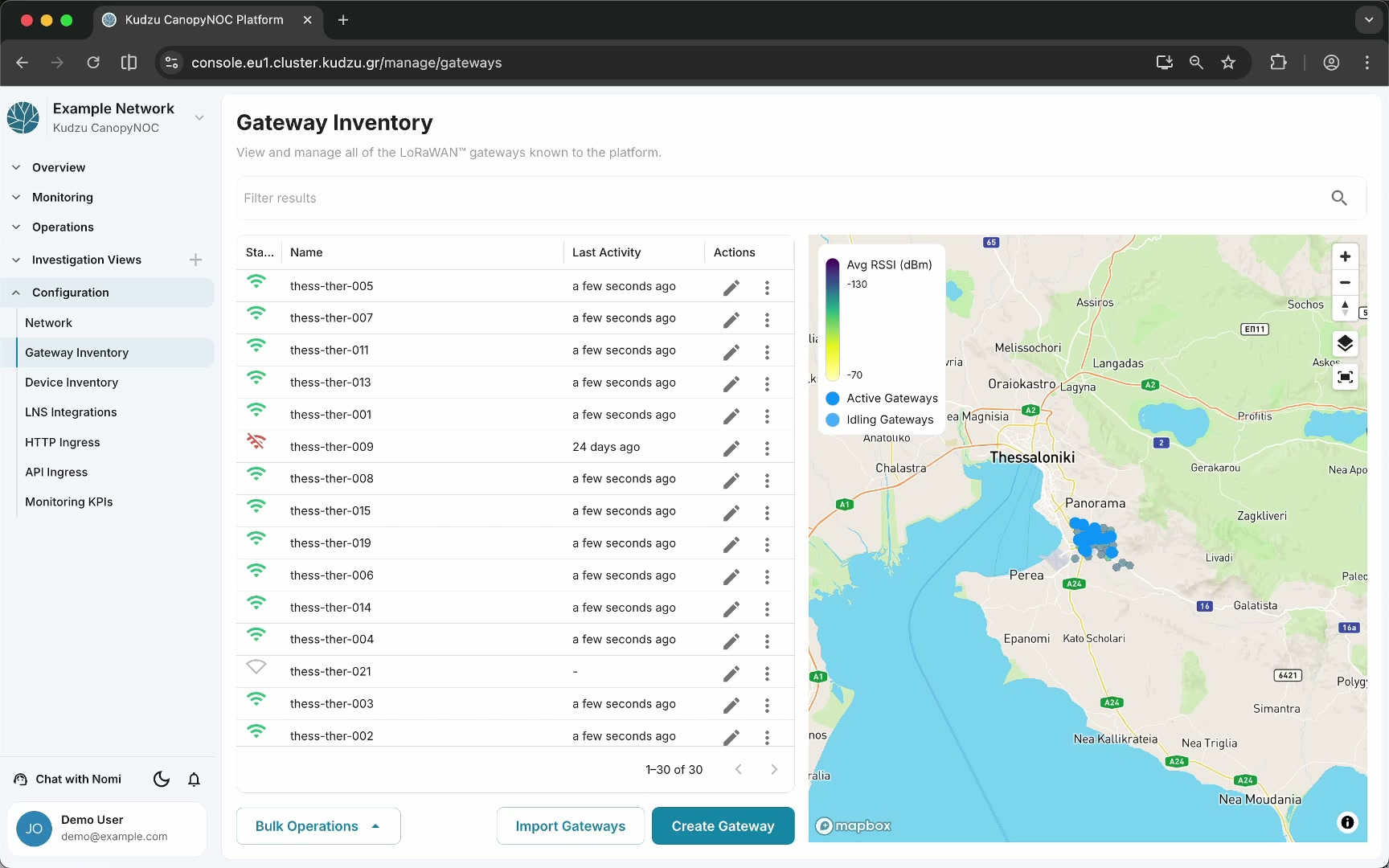
Key areas#
Gateway list#
The main view displays a table of all gateways in the system. Each entry shows summary information and provides a pencil icon that opens the gateway detail view for editing.
Gateway detail view#
Clicking the pencil icon on a gateway row opens its configuration view. This is the primary interface for managing a single gateway.
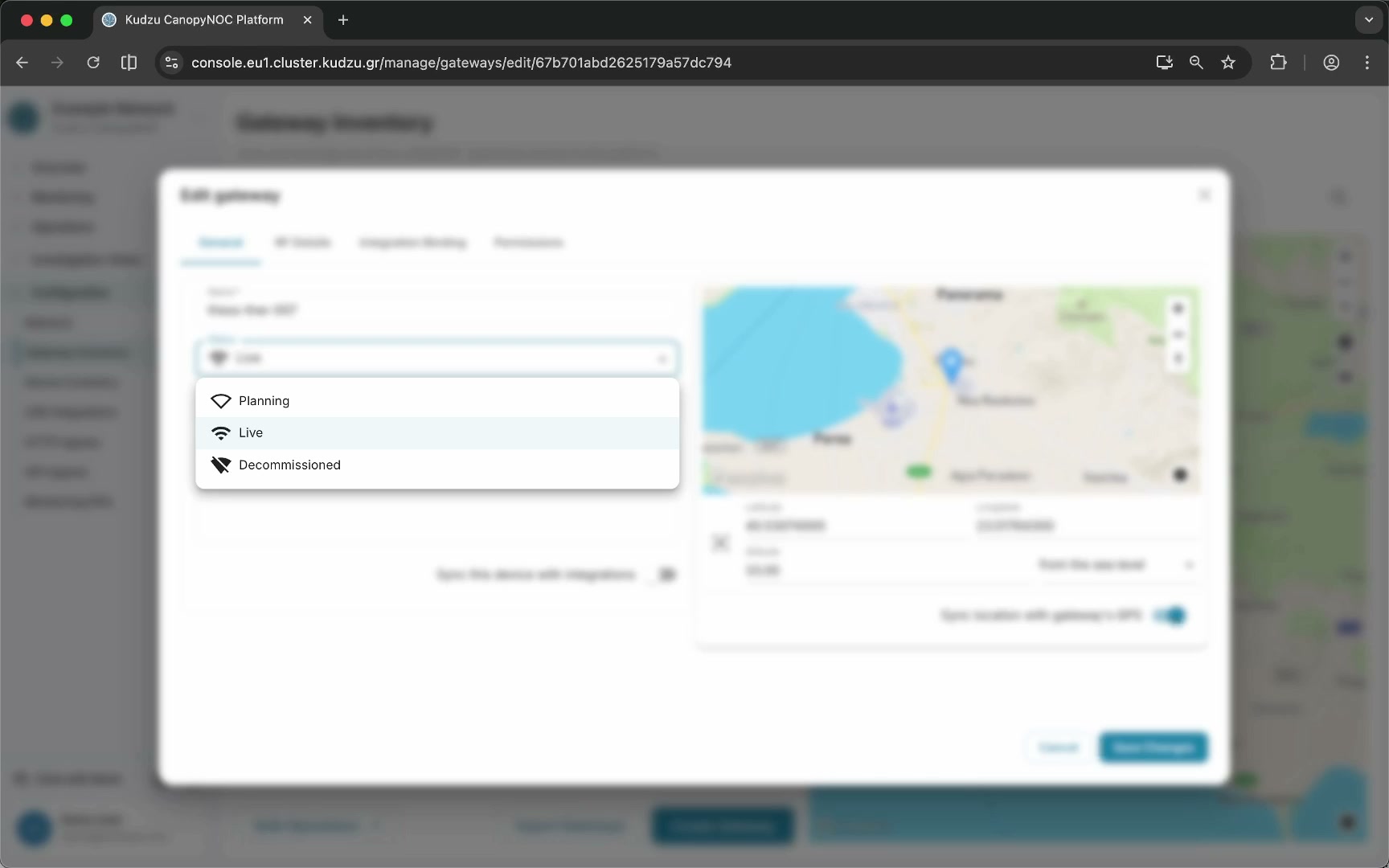
General#
| Field | Purpose |
|---|---|
| Name | Editable gateway display name |
| Status | Select between Planning, Live, or Decommissioned — controls how the platform treats the gateway in analysis and map views |
| Tags | One or more tags for categorization and filtering |
| Notes | Free-text operational notes about the gateway |
Location#
Set the gateway’s geographic coordinates on the map. If the gateway has a GPS antenna, enable GPS synchronization to automatically update the location from the GPS signal.
RF details#
Configure the gateway’s antenna and transmission characteristics. These parameters feed into coverage analysis and RF modeling.
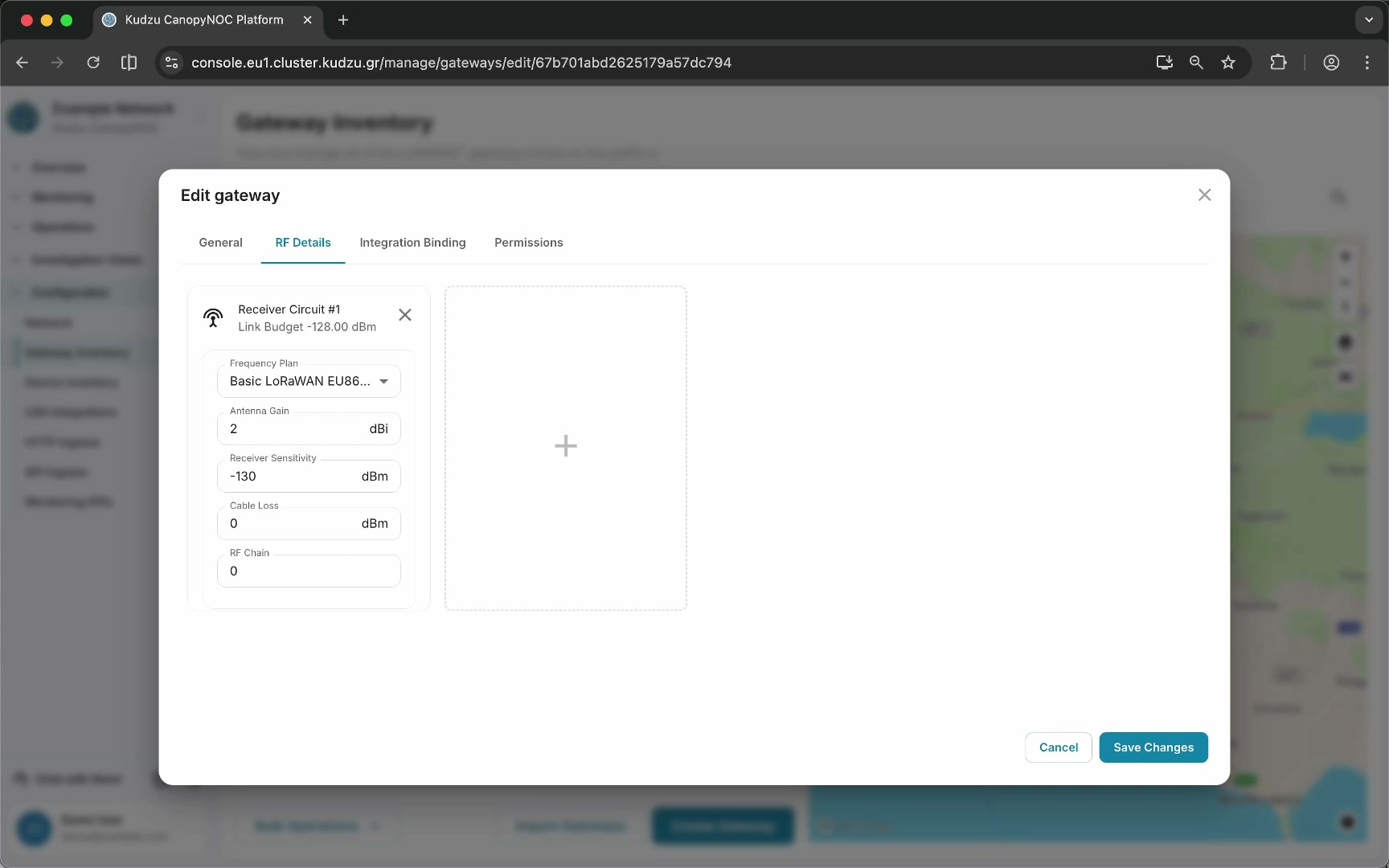
Integration binding#
Set the identifiers that link this gateway to records across different integrations. Integration bindings ensure the platform can correlate gateway data arriving from multiple LNS or data sources.
Permissions#
Like all resources in the platform, each gateway has fine-grained permissions controlling which organization can access it, who owns the resource, and whether it is public.
How to use this view#
- Navigate to Configuration > Gateway Inventory in the sidebar.
- Browse the gateway list to find a specific gateway.
- Click the pencil icon on a gateway to open its detail view.
- Update the name, status, tags, and notes as needed.
- Set or verify the geographic location. Enable GPS sync if the gateway has a GPS antenna.
- Configure RF details for accurate coverage modeling.
- Set integration bindings if the gateway is known under different identifiers in different systems.
- Manage permissions to control who can access this gateway resource.
Related pages#
- Network — general network metadata and preferences
- Device Inventory — registered devices and their properties
- LNS Integrations — connections to LoRaWAN Network Servers