Solution Details
The Solution Details view is the expanded detail modal that opens when you click a suggestion card in the Action Center. It explains how to apply the selected recommendation and gives you enough context to coordinate the work with your team.
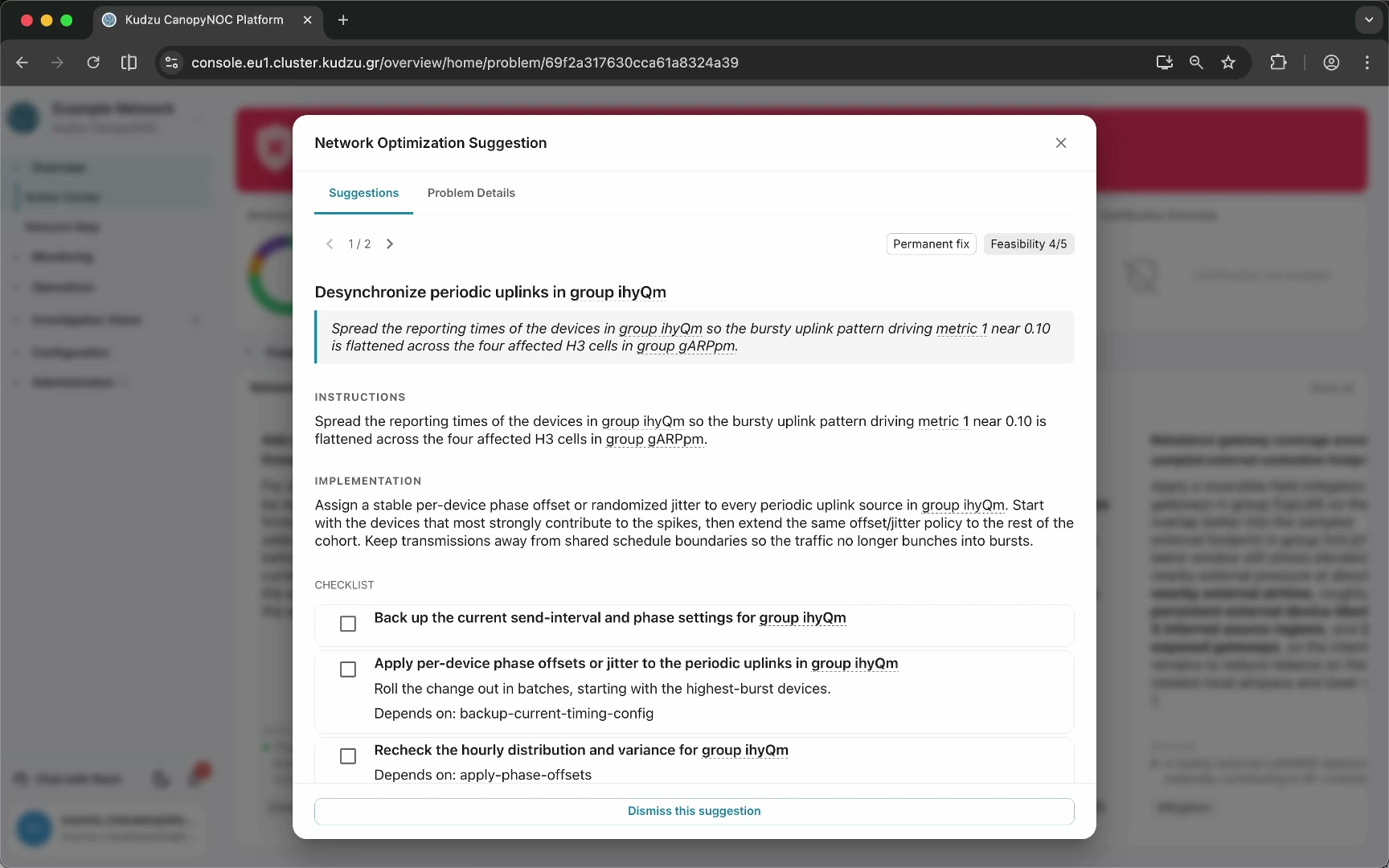
Key areas#
- Solution title and summary — the name of the recommended action and a short explanation of the intended fix.
- Strategy tag and feasibility score — metadata indicating whether the suggestion is a permanent fix, monitoring action, mitigation, or another strategy, along with a feasibility rating.
- Instructions and Implementation — step-by-step guidance describing how to carry out the change.
- Checklist — actionable steps you can check off as work progresses, supporting team coordination.
- Safety notes — preconditions, validations, and assumptions provided by the analysis agent, displayed below the checklist.
- Solution carousel — left and right arrows for cycling through multiple candidate solutions when more than one exists for the same problem.
- Tabs — the Suggestions tab shows implementation guidance; the Problem Details tab switches to the problem detail view.
How to use this view#
Review the recommendation#
Read the solution title and summary to confirm the recommendation matches the issue you intend to address. Check the strategy tag and feasibility score to understand the nature and confidence of the suggestion.
Follow implementation guidance#
Work through the Instructions and Implementation sections before changing any network configuration or device behavior. Use the checklist to track progress and coordinate with your team.
Explore context links#
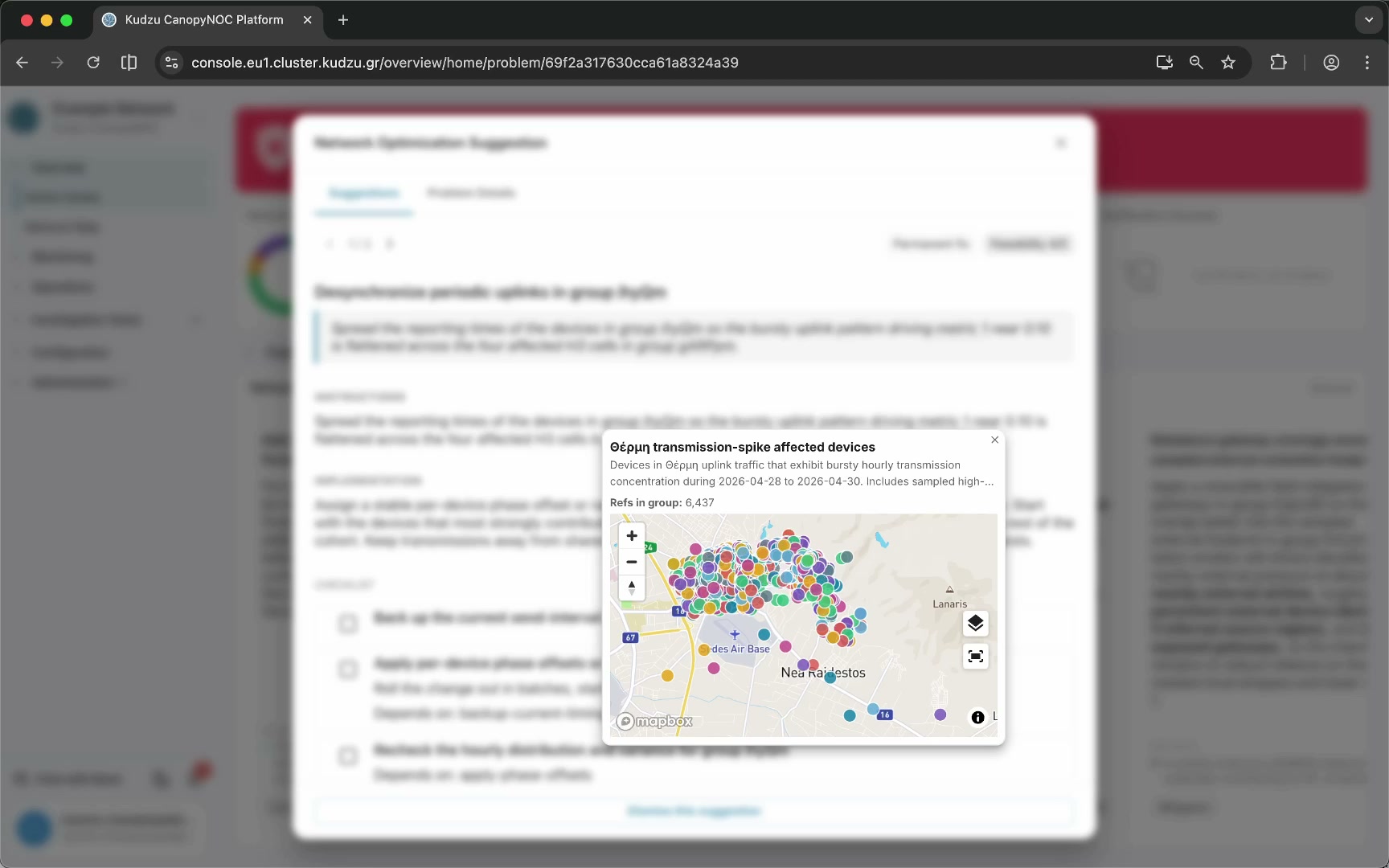
Some solution text includes clickable references to specific groups, metrics, geographic areas, or entities. Clicking a linked reference opens a context popup with operational details — for example, a list of affected devices displayed on a map.
Review safety information#
Before applying the fix, review the safety notes, preconditions, validations, and assumptions listed below the checklist.
Navigate between solutions and problems#
Use the carousel arrows to browse alternative solutions for the same problem. Switch to the Problem Details tab when you need to understand the original issue, current state, and history behind the recommendation.
Dismiss a suggestion#
Click Dismiss this suggestion at the bottom of the modal to hide the recommendation from the Action Center.