API Tokens
API tokens are personal access tokens that enable programmatic access to Kudzu Canopy NOC through its REST API and MCP endpoint. Each token is scoped to your user account and carries your permissions.
Creating an API token#
- Click your profile button at the bottom of the navigation sidebar. Your name and email are displayed on the button.
- Select API Tokens from the popup menu.
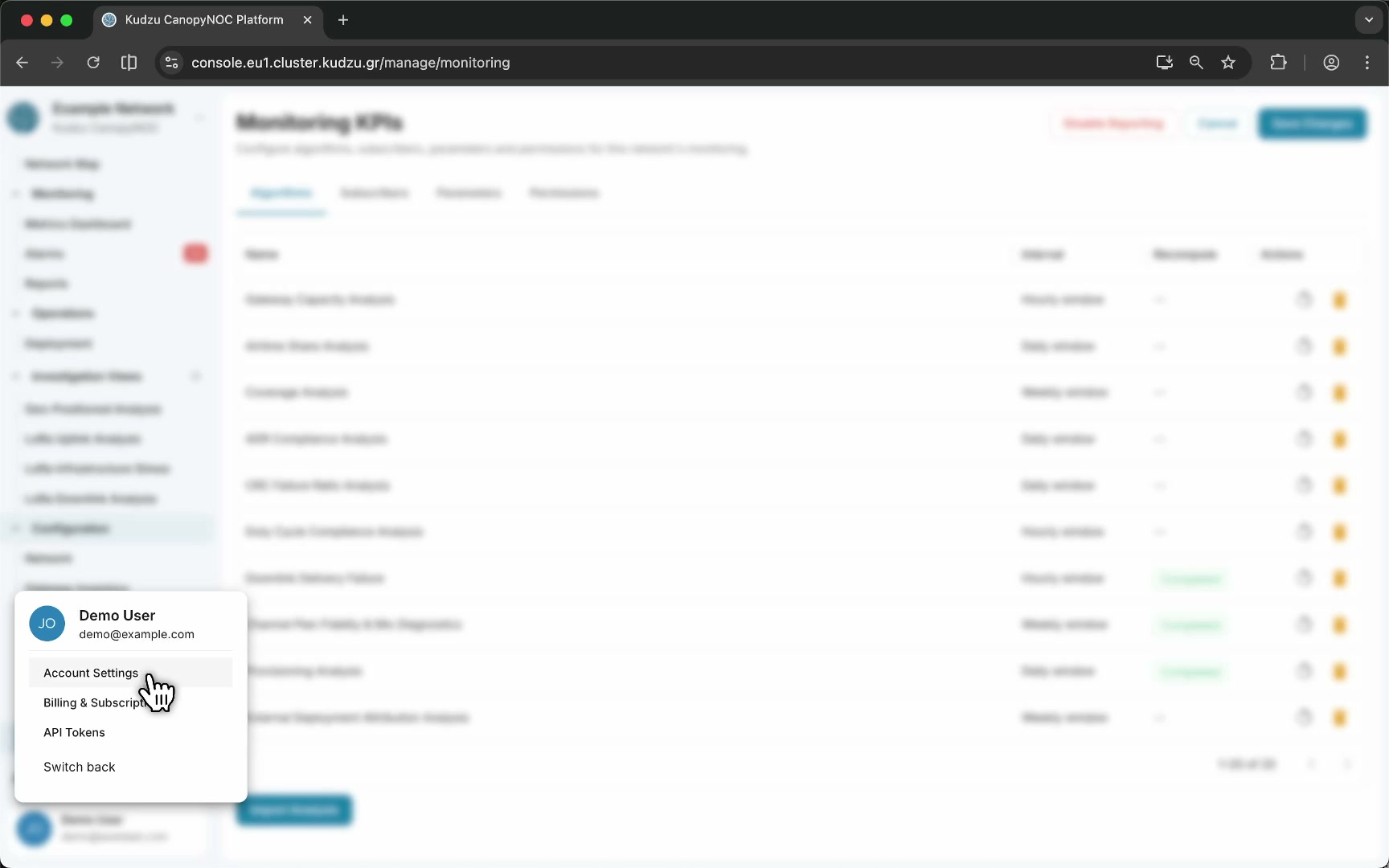
- Click Create Token.
- Copy the generated token immediately. The full token value is only shown once.
- Store the token securely. Treat it like a password.
Using an API token#
Include the token in the Authorization header when calling the REST API or connecting to the MCP endpoint:
Authorization: Bearer <your-token>
The token inherits your account permissions. Any action you can perform in the web interface is available through the API with a valid token.
Managing tokens#
Open the API Tokens page from the profile menu to view, revoke, or create tokens. Revoking a token invalidates it immediately and any integrations using it stop authenticating.
Security considerations#
- Rotate tokens periodically.
- Revoke tokens you no longer need.
- Do not embed tokens in client-side code or public repositories.